

How to Split Imported Data into Columns in Excel
When an export puts the company, city, and account ID into one cell, sorting by city becomes a manual job.

When an export puts the company, city, and account ID into one cell, sorting by city becomes a manual job.

A shared lead tracker can turn a ten-minute follow-up routine into a hunt through hundreds of rows. Google Sheets filter

Build a five-company B2B lead research sample, qualify prospects against a brief and quote a paid pilot with a practical proposal example.

Use a simple Google Sheets audit to catch incomplete rows and document exceptions before a client handoff.

Add consistent lead status dropdowns in Google Sheets and test them with a simple outreach workflow.

Explore data entry in 2026 through current freelance rate benchmarks, an invoice-checking example and a practice project for your first proposal.
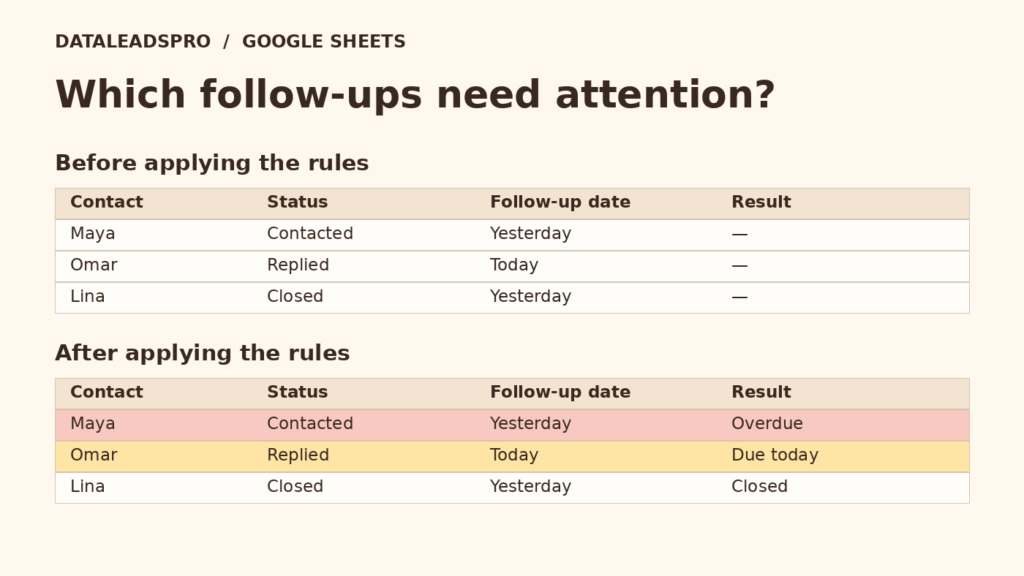
Use two conditional formatting rules to highlight overdue follow-ups in red and today’s calls in amber while skipping blank dates and closed leads.
Build a Google Sheets lead tracker with a status dropdown, a follow-up reminder formula and a worked example you can test in a blank spreadsheet.
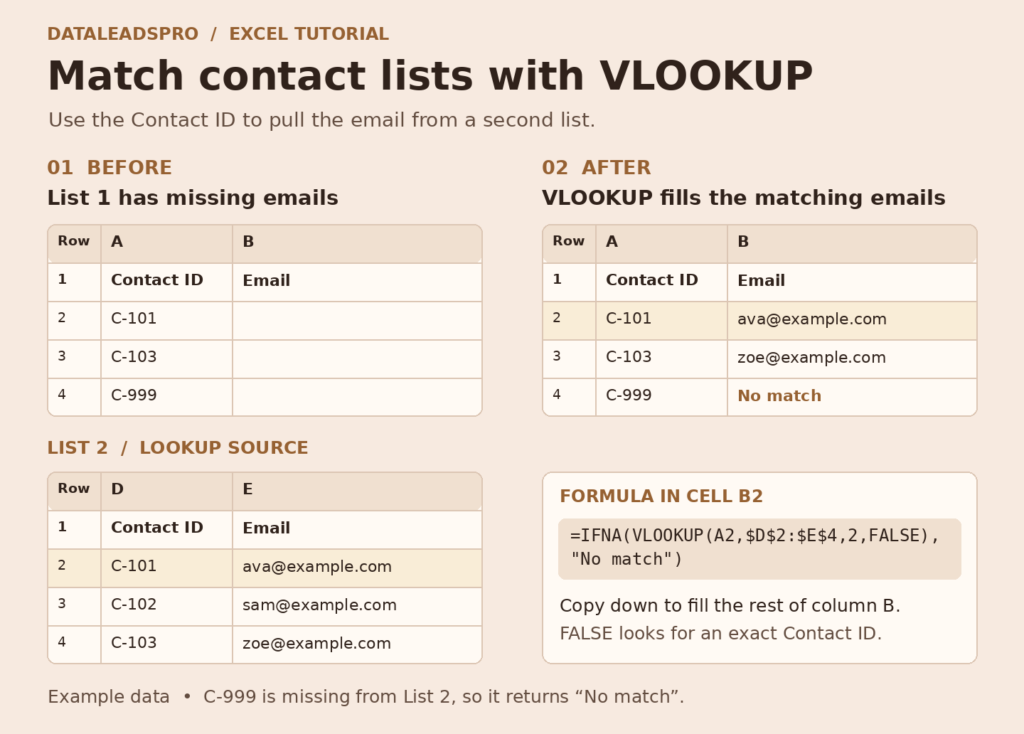
Match two contact lists by ID in Excel. Copy the exact-match VLOOKUP formula, fill missing emails and flag contacts that need a second look.

Clean a B2B lead list in Excel with a copyable formula, a shared-inbox example and a handoff note that explains every merge.